

Customization
How fizzy are we feeling? Open /theme to choose a theme and set the UI
personality to Quiet, Playful, or Extra. Appearance and accessibility changes
apply immediately and are saved as Sodapop preferences. Color, motion,
personality, and the character set are independent choices.
Themes
Section titled “Themes”Pick the backdrop for your next session:
| Theme | Command | Character |
|---|---|---|
| Neon Arcade | /theme arcade |
Near-black surfaces with pink, purple, and cyan accents. |
| Graphite | /theme graphite |
Restrained neutral surfaces. |
| Midnight | /theme midnight |
Deep navy and cool accents. |
| High Contrast | /theme high-contrast |
Strong separation on a black background. |
| Daylight | /theme light |
Light surfaces with dark text. |
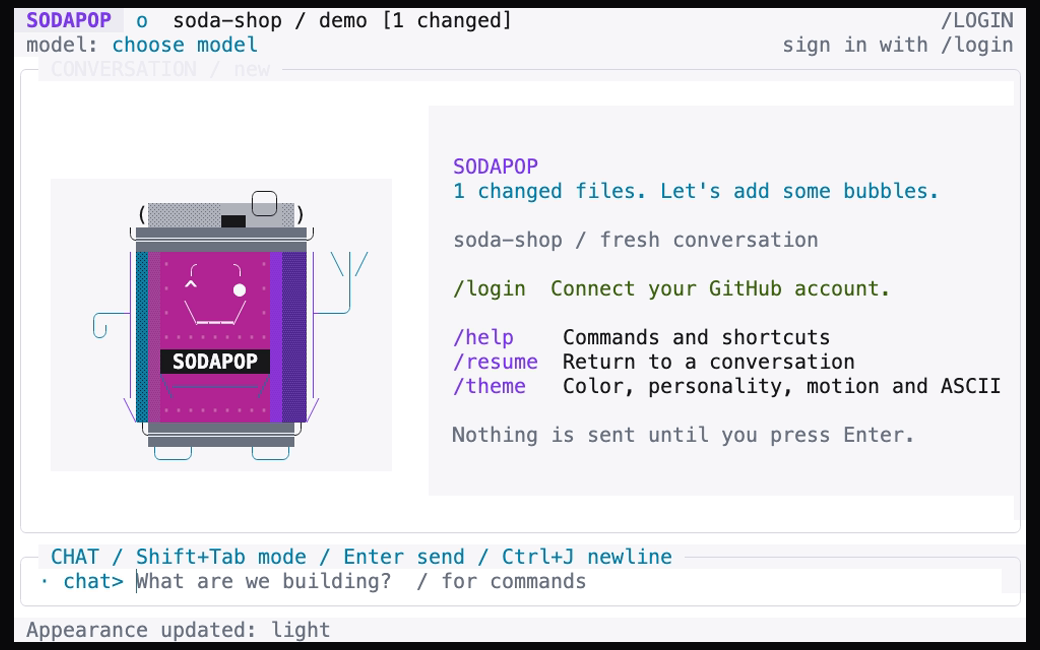
This still is from the real UI’s prepared, signed-out theme recording.
Personality and motion
Section titled “Personality and motion”The appearance menu offers Quiet, Playful, and Extra personality modes. Personality changes UI copy and decoration, not the model’s capabilities, Copilot access, or tool-approval policy.
Reduced motion disables decorative animation and cursor blink. You can select
it in /theme or use a launch flag. The welcome mascot normally plays a brief
opening sequence; typing, pasting, or pressing Esc skips it without losing your
input. --no-banner keeps a text-only welcome panel instead.
The active-work indicator sits beside the composer. A still indicator with reduced motion enabled does not mean the application has stopped working.
Terminal options
Section titled “Terminal options”You can also set display options when launching Sodapop:
sodapop --reduced-motionsodapop --no-colorsodapop --asciisodapop --no-bannerOptions can be combined:
sodapop --reduced-motion --asciiNO_COLOR is respected when nonempty. Launch flags override the corresponding
saved display choices for that run rather than permanently changing them.
The appearance menu also offers no-color and ASCII settings when you want to
save those choices.
Choose the font and its size in your terminal emulator, not in Sodapop.
No Nerd Font is required. If box drawing or symbols look wrong, try --ascii.
The website uses its own reading theme; changing it does not change your
terminal application’s preferences.
Fit the workspace
Section titled “Fit the workspace”The composer expands when a wrapped or multiline draft needs more room. Wider terminals show a sidebar with workspace, model, and capability details; the sidebar disappears on narrower screens so the conversation keeps priority. F3 focuses a visible sidebar for keyboard scrolling.
Use conversation navigation shortcuts to review
long output. If a terminal reserves a shortcut, use /help or the action palette
to discover alternatives.
Saved preferences
Section titled “Saved preferences”Preferences live in Sodapop’s platform configuration directory, not in the
project. They include appearance and model choices, but not OAuth tokens.
Use /theme and /model instead of copying another machine’s configuration
file or adding unrecognized JSON fields.
Session history is stored separately and is scoped to the account and canonical project. See permissions and privacy for the distinction between preferences, history, and credentials.